Microsoft 365

The Office 365 eDiscovery Tool for Email and Teams.

Purview and Content Search collect your Microsoft 365 data and hand you a PST. ViewExport turns that export into a searchable archive of Office 365 email and Teams chat, searched by keyword, custodian, and date range. Real eDiscovery review, without the Purview Premium price tag or a per-gigabyte platform.
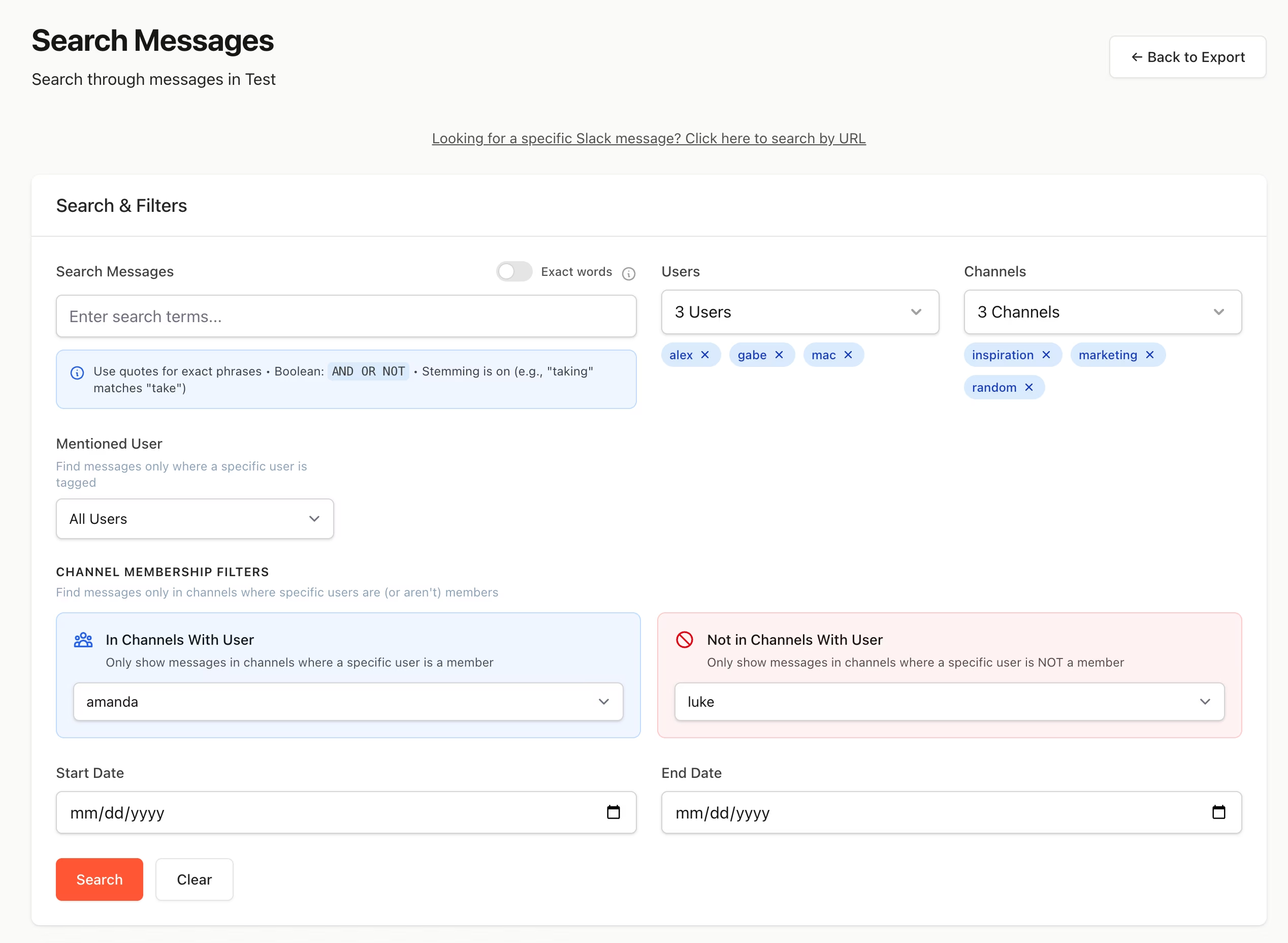
Searching Office 365 email and Teams data in ViewExport
Where Microsoft 365 eDiscovery Gets Stuck

Native Microsoft 365 eDiscovery collects the data. Then what?

Purview is built to hold and export, not to make review easy. Three problems land on whoever actually has to find what matters.

The export is a PST nobody can search

Purview eDiscovery and Content Search deliver results as PST packages. You cannot keyword-search a raw .pst, and Outlook opens one at a time with no bulk search. The collection is done, but the review has not started.

Purview Premium is a bigger commitment

Review sets, analytics, and custodian management sit behind the Premium license tier that many teams do not have. A single DSAR or HR matter should not require an upgrade across the tenant.

Platforms overcharge for small matters

Relativity, Onna, and their peers price per gigabyte and expect a procurement cycle. For most Microsoft 365 investigations that is far more platform, and cost, than the matter warrants.
How It Fits Your Workflow

From Purview export to reviewed, in an afternoon.

ViewExport is the review layer on top of Microsoft 365. Keep using Purview or Content Search for holds and collection, then bring the export here to actually search it.

1. Collect in Microsoft 365

Run your legal hold and collection in Microsoft Purview, or a Content Search, the way you already do. Export the results to PST, including both Exchange email and Teams messages.

2. Upload the export

Drop the PST into ViewExport. It reads the Microsoft eDiscovery export format directly, indexes every message, and preserves metadata for chain of custody. See the PST tool for the file-level detail.

3. Search and produce

Search across email and Teams by keyword, custodian, and date. Cull to what matters, then export to CSV, PDF, or JSON with metadata intact, ready for production or an ESI protocol.
Email & Teams Together

One Search Across Office 365 Email and Teams Chat.

A Purview export bundles Exchange email and Teams messages, 1:1 chats, group chats, and channels, into the same PST. ViewExport indexes all of it, so one query covers every message a custodian sent, whatever app they sent it in.

  • Search Teams chat and email in a single query.
  • Metadata preserved for defensibility and chain of custody.
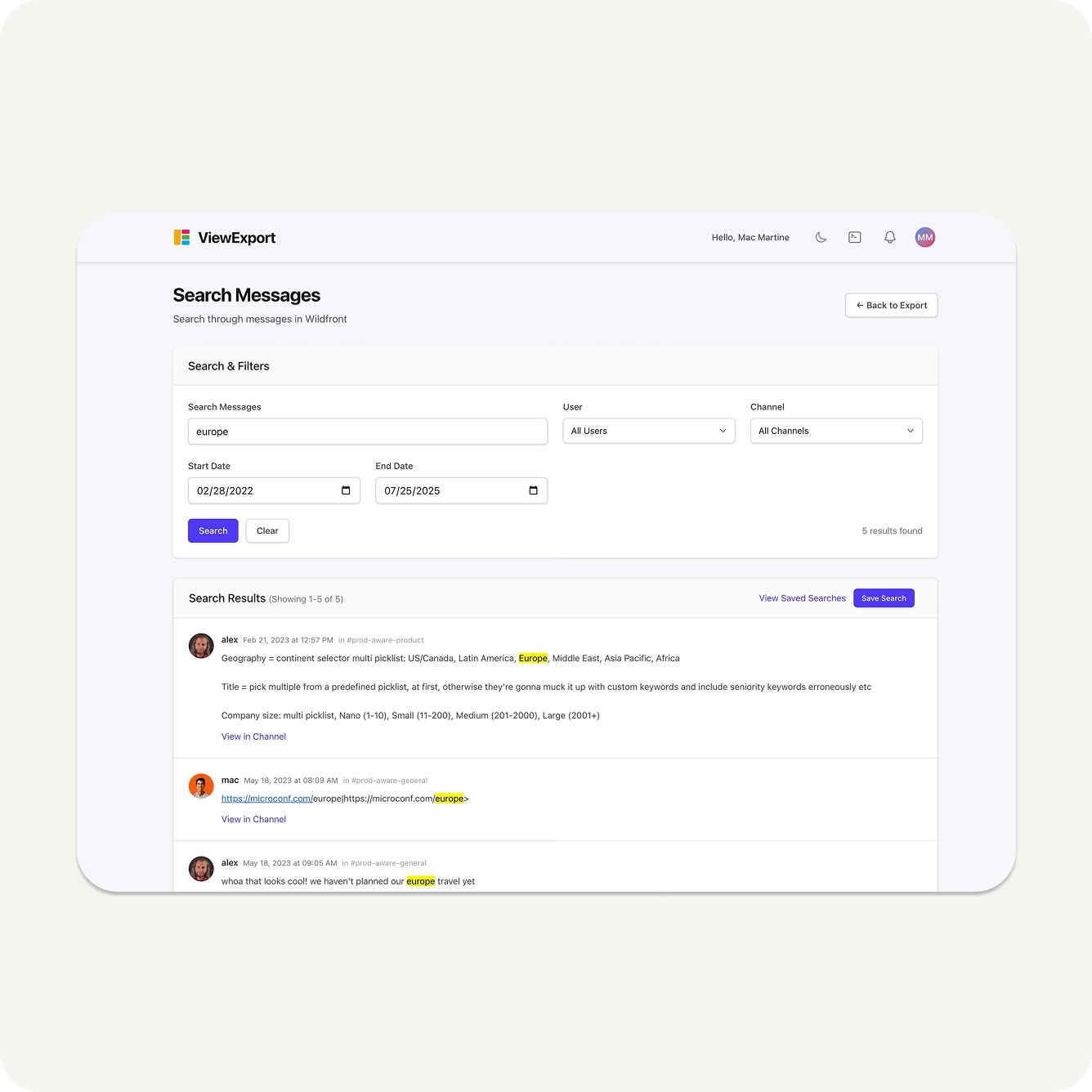
Searching Office 365 email and Teams messages by keyword and date
A Purview Alternative for Review

The Review Step Purview Makes Hard.

You do not need eDiscovery Premium, or reviewer roles across the tenant, to read what you collected. Once the export exists, ViewExport works on the file itself, so IT can hand it to Legal or HR without provisioning anyone in Microsoft 365.

  • No eDiscovery Manager role needed to search an export.
  • Nothing installed in your Microsoft 365 tenant.
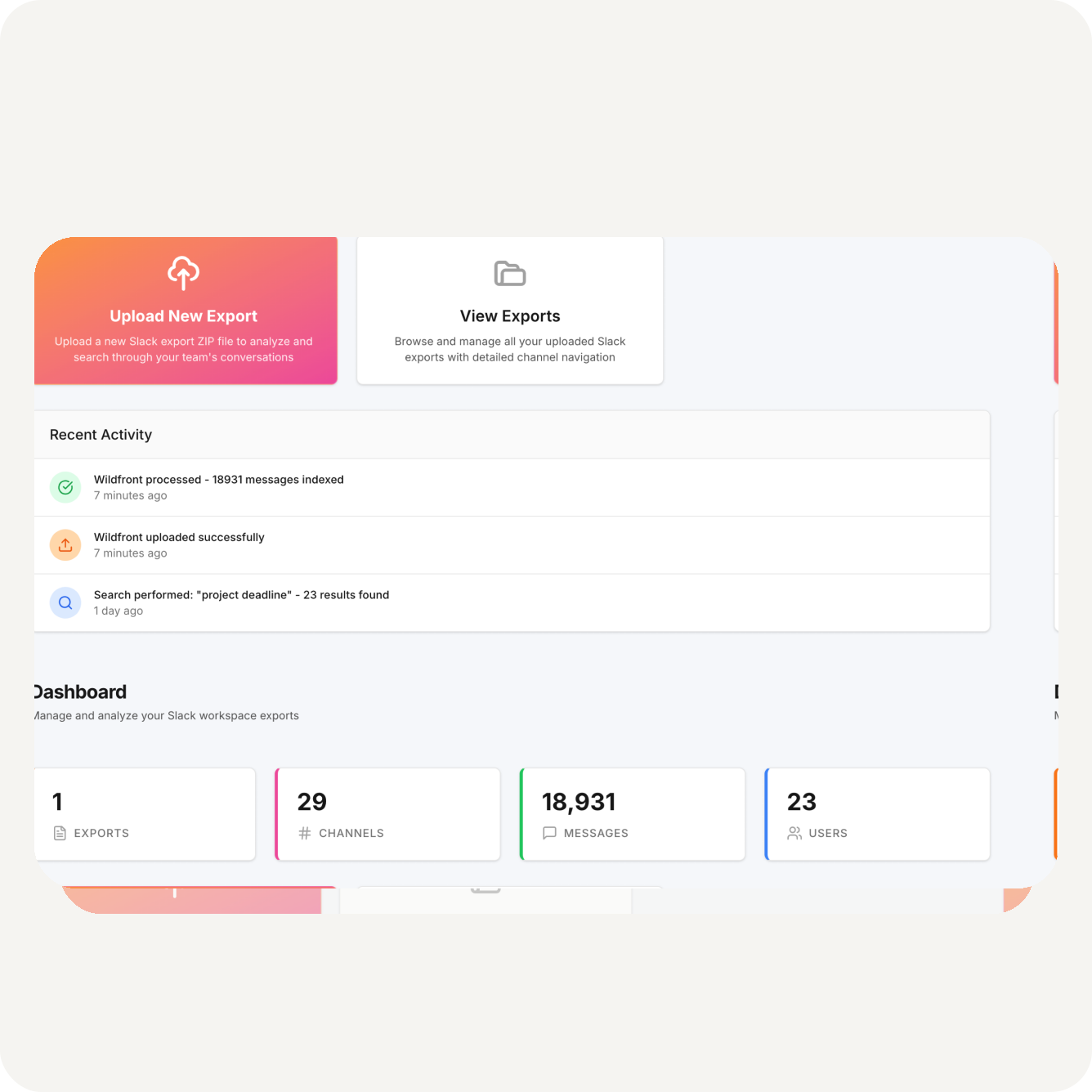
ViewExport dashboard with uploaded Microsoft 365 exports
Priced Like a Tool

Flat Licensing. No Per-Gigabyte Processing Fees.

A 30 GB mailbox is routine for a single custodian, and per-gigabyte platforms and Premium add-ons price accordingly. ViewExport is a flat license with a free trial, so scoping a Microsoft 365 matter does not require a procurement cycle.

  • Search and cull before anything reaches per-GB hosting.
  • Buy online in minutes, or talk to us for enterprise terms.
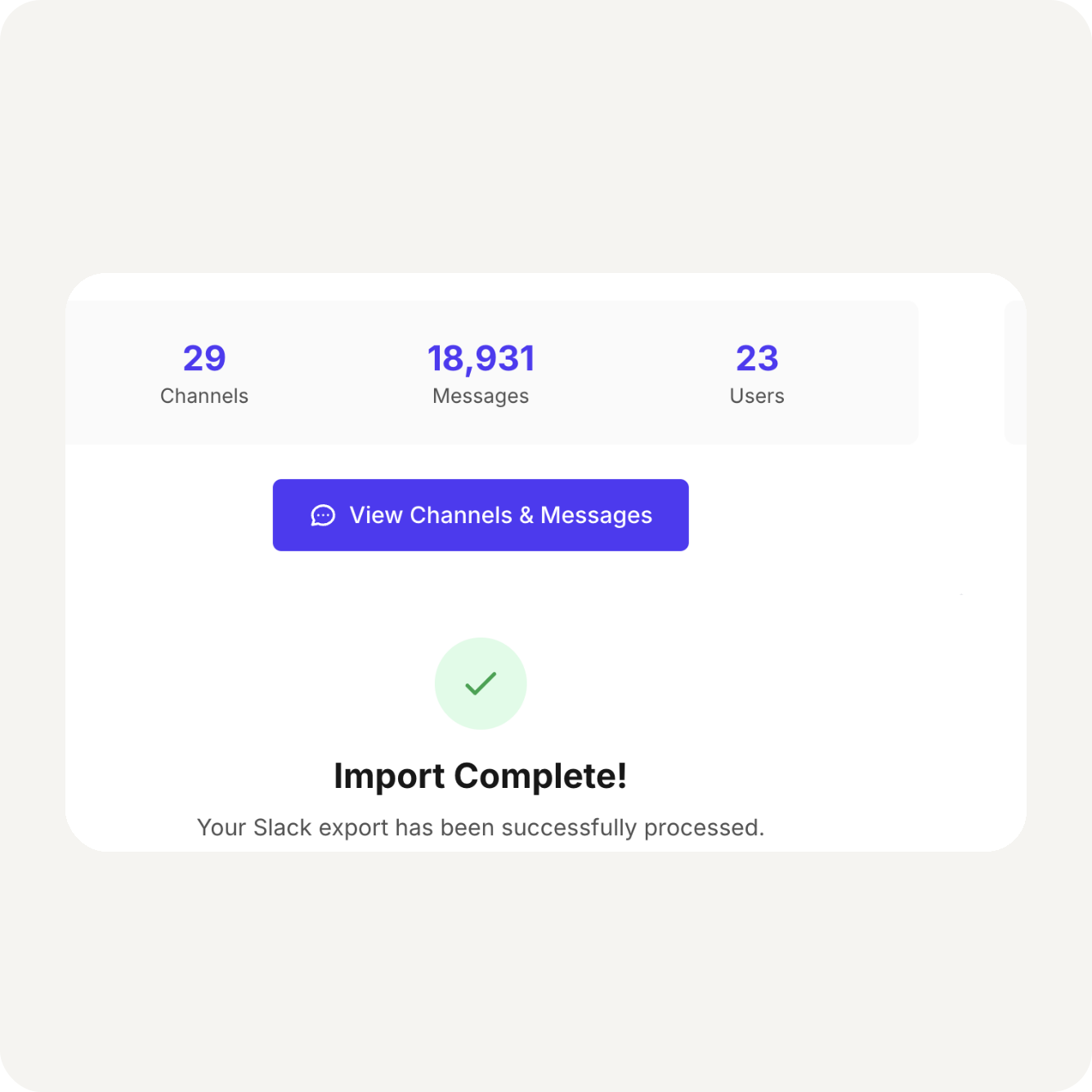
Microsoft 365 export import complete
Who Uses ViewExport

Built for the teams handed a Microsoft 365 export.

For in-house IT, legal, and HR, as well as outside counsel and eDiscovery providers working Office 365 matters.

Heads of IT & Security

You run the Purview collection, and then Legal asks you to find what matters inside it. ViewExport turns that export into a searchable archive instead of a handoff problem.

Attorneys & Law Firms

Search and cull Office 365 productions before they hit your review platform, and keep small matters out of per-gigabyte hosting entirely. Defensible, fast, and priced like a tool, not a platform.

HR & Compliance Leaders

Investigations rarely stay in one channel. Search a custodian’s Office 365 email and Teams chat side by side, and document what you find for the record.
Security

Enterprise-Grade Security, Built for Legal Workflows

ViewExport is designed with strict security, access controls, and audit trails to meet your legal, IT, and compliance standards.

Security Controls

Full documentation of our security architecture, access policies, and compliance practices.

Audit-Ready Logging

Every action is logged in detail for audit trails, legal defensibility, and compliance reporting.

Infrastructure

Hosted on secure, encrypted infrastructure with authentication, access control, and uptime protections.

Archive Snapshot Integrity

Static copy of your export at time of upload, so later edits or deletions don’t obscure what was originally said.

Local-Only Option

The desktop edition processes the export entirely on your machine, for data that can’t leave your infrastructure.

Privacy Practices

GDPR-aligned policies for how we handle, store, and protect sensitive user and message data.
Testimonials

Trusted by attorneys and IT leaders.

Most customer testimonials are anonymized at their request.

With ViewExport, we were able to easily work with a very large Slack export and resolve our incident much faster compared to other Slack export solutions. The tool has great functionality with improvements happening on a regular cadence as well as fantastic support from the ViewExport team.
Matt R, Head of IT
Large Game Studio in California
Name and company redacted for client privacy.
Glad for ViewExport - in Slack you can't filter easily by date range, which is annoying and not usable for Legal/eDiscovery. And Onna is way too expensive. You guys are perfect.
Chief Information Officer
NYSE-Listed Adtech Company
Name and company redacted for client privacy.
Handling DSARs is a massive pain point for me with GDPR compliance. We've been working around this problem for 6+ years, across multiple companies.
Head of IT & Security
Midmarket UK Tech Company
Name and company redacted for client privacy.
This is marvelous. I'm the Slack admin of my company and I'm tired of searching through the json files for messages for HR investigations. Now I can share relevant exports with legal in a few clicks.
Deborah, IT Manager
Deborah, IT Manager
Large Not-For-Profit Organization
With ViewExport, we were able to easily work with a very large Slack export and resolve our incident much faster compared to other Slack export solutions. The tool has great functionality with improvements happening on a regular cadence as well as fantastic support from the ViewExport team.
Matt R, Head of IT
Large Game Studio in California
Name and company redacted for client privacy.
Glad for ViewExport - in Slack you can't filter easily by date range, which is annoying and not usable for Legal/eDiscovery. And Onna is way too expensive. You guys are perfect.
Chief Information Officer
NYSE-Listed Adtech Company
Name and company redacted for client privacy.
Handling DSARs is a massive pain point for me with GDPR compliance. We've been working around this problem for 6+ years, across multiple companies.
Head of IT & Security
Midmarket UK Tech Company
Name and company redacted for client privacy.
This is marvelous. I'm the Slack admin of my company and I'm tired of searching through the json files for messages for HR investigations. Now I can share relevant exports with legal in a few clicks.
Deborah, IT Manager
Deborah, IT Manager
Large Not-For-Profit Organization
FAQ

Office 365 eDiscovery, answered.

From where eDiscovery lives in Microsoft 365 to how ViewExport handles the review step, here are the questions we hear most.

Native eDiscovery lives in the Microsoft Purview portal, under eDiscovery (Standard) and eDiscovery (Premium). You use Purview or Content Search to hold and collect data, then export the results as a PST package. ViewExport picks up from there: upload that export and get a searchable archive of Office 365 email and Teams messages, without the Purview review interface or its permissions maze.
eDiscovery (Standard) covers holds, search, and export. eDiscovery (Premium) adds review sets, analytics, and custodian management, and is licensed at a higher tier that many teams do not have. ViewExport gives you keyword search, culling, and defensible export on top of a Standard or Content Search export, so a single matter does not force an upgrade to Premium.
Yes. When Purview exports a custodian’s data, Teams 1:1 chats, group chats, and channel messages are captured into the same PST as their Exchange email. ViewExport indexes all of it, so one query covers everything a custodian said across email and Teams.
You only need Purview permissions for the collection and export step inside Microsoft 365. Once the export exists, ViewExport works on the file itself, so reviewers do not need an eDiscovery Manager or Administrator role in your tenant to search it. Nothing is installed in your Microsoft 365 environment.
Same engine, different starting point. This page is about the Microsoft 365 workflow, from Purview export to reviewed. If you already have the file in hand and just need the mechanics of opening it, see the PST viewer and eDiscovery tool, which covers opening PST archives without Outlook on Mac or Windows.
Flat licensing, not per-gigabyte processing. A single custodian’s mailbox is routinely 30 GB or more, which is where platforms and Premium add-ons get expensive fast. Compare plans on our pricing page and start with a free trial, no procurement cycle required.
We serve organizations with strict data governance requirements. See our full security overview, and note that the downloadable desktop edition processes the export entirely on your own machine, so sensitive mail never touches our servers.

Have more questions?

Send a message to our team and we’ll help you out.